
The Content Hub receives invoices, letters, print lists and archive files through SAP's standard interface and stores them wherever you want: directly in ecoDMS, on your file server or via API in another DMS. Every night it proves that nothing has been changed or removed.
At a glance
Large archive systems come with licences, projects and custom development in SAP. The Content Hub is a lean server that SAP addresses through its existing ArchiveLink interface – just like any other archive.
Architecture
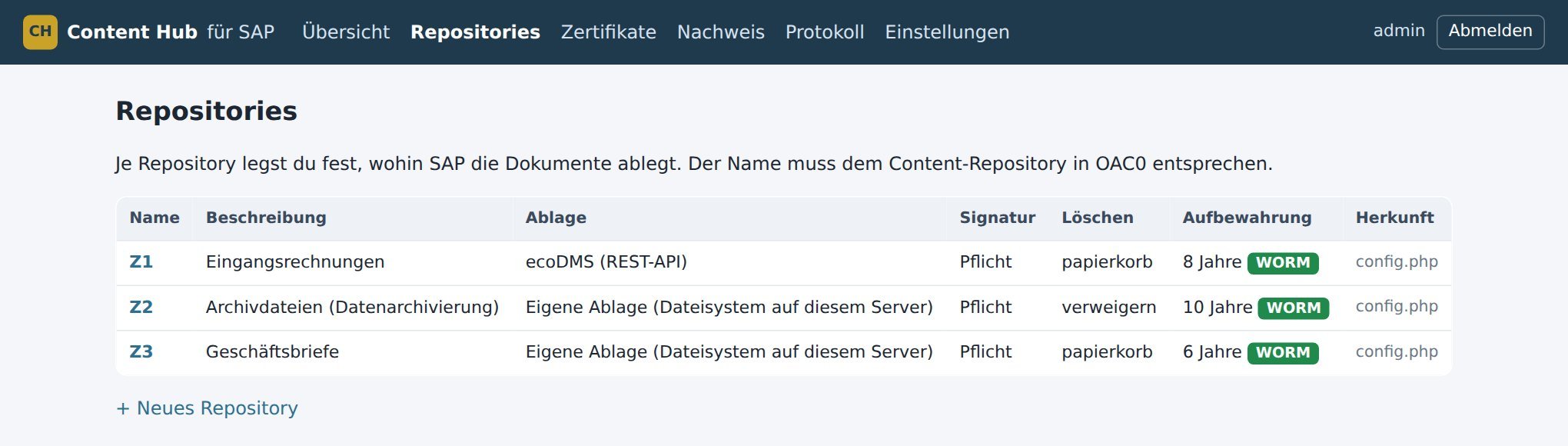
SAP registers the Content Hub as a content repository in transaction OAC0. For each repository you decide where documents go and which retention period applies.
One entry in OAC0, approve one certificate, done. No transports, no custom code, no change to your processes.
A Linux server with Apache and PHP is all it takes. The catalogue is a single file, installation is one script.
Repositories, storage targets, retention periods, certificates and the integrity check result on one screen. No SAP GUI, no command line.
Storage targets
Stored with folder, document type and index fields; changes become new versions. Documents are searchable outside SAP too.
Own storage on the server or on a mounted network share – no DMS required.
Existing archive systems connect through a lean adapter interface, for example via their REST API.
Getting started
Installation script on a Linux server in your network. The integrity check then runs automatically.
Which documents, which storage target, which retention period – entered in the browser.
Maintain OAC0 and OAC3, send and approve the certificate. No transport.
Store and display from SAP, first integrity check, handover of the manuals.
Features
German GoBD rules require that archived documents cannot be changed or deleted unnoticed – not even by your own staff. The Content Hub proves this every day.
6, 8 or 10 years per repository, fixed when stored and never shortened. Until then the Content Hub rejects every deletion – even when SAP requests it.
Stored documents cannot be changed or appended to. A legal hold keeps documents beyond their period during an audit.
Every document carries a SHA-256 fingerprint. A modified document is not delivered but reported.
Storage, deletion, rejection, certificate: every event is a link in a hash chain. Any later change breaks it.
Every night an independent RFC 3161 timestamp authority confirms the state of the journal. Not even an administrator can change it afterwards.
The integrity check compares the archive with the links in SAP. If a document SAP refers to is missing, it is reported.
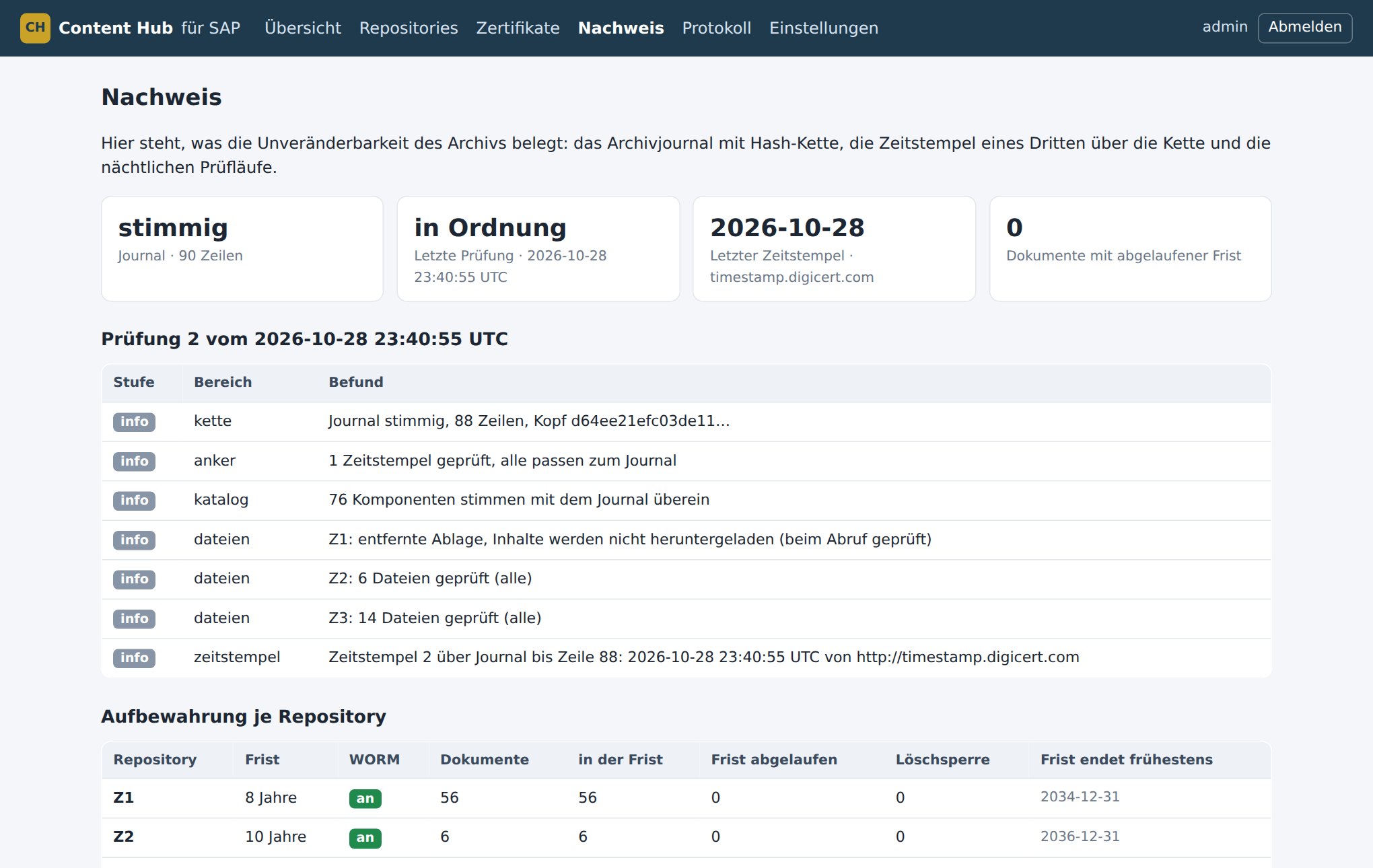
For tax audits and internal audit, the Content Hub exports journal, timestamps and inventory together with a verification script. The auditor checks everything independently – without our software and without access to your system.
Inventory, certificates, errors and the result of the nightly check at a glance. Sign-in with dedicated users, roles for administration and read-only access.
Technology
| SAP | SAP ECC and SAP S/4HANA. ArchiveLink via HTTP content server (protocol 0045–0047), signed requests with an SAP certificate per repository. For documents, print lists and data archiving files (SARA). |
|---|---|
| Server | Linux, Apache, PHP 8.2 or later, SQLite catalogue. Cross-check with SAP via the SAP NW RFC SDK, read-only. |
| Storage | ecoDMS (direct API connection), file storage locally or on an NFS/SMB share, other DMS via adapter. |
| Security | SHA-256 per component, hash chain in the journal, RFC 3161 timestamps, integrity check via systemd timer, evidence export with an independent verification script. |
| Network | SAP servers and workstations reach the Content Hub via HTTP(S). Outbound only the hash value to the timestamp authority. |
| Documentation | User manual, administrator manual, SAP connection guide (German). |
The Content Hub meets the technical requirements for immutability, retention and traceability of the German GoBD. Compliance itself results from the user's procedures (process documentation, authorisations, backup, internal controls); we support you with this. SAP, SAP ECC and SAP S/4HANA are trademarks of SAP SE. ecoDMS is a trademark of ecoDMS GmbH.
Services
The Content Hub is the tool – we also support you with everything around it. From the first connection to ongoing data archiving, with or without the Content Hub.
Contact
We demonstrate the Content Hub on an SAP test system: storing and displaying a document, a deletion attempt before the period ends, and the evidence as an auditor sees it.